Die-Cut Business Cards: Shaped Card Design Guide for Non-Rectangle Formats
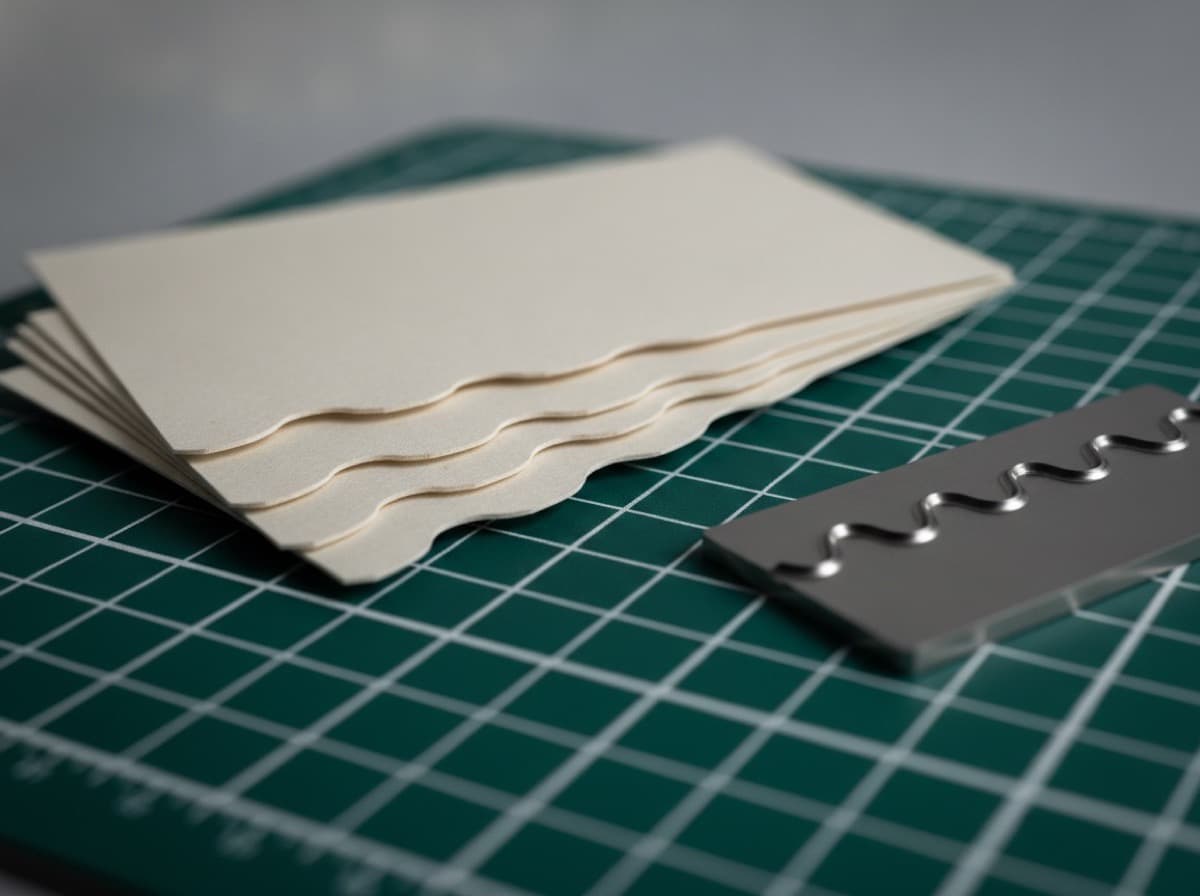
Die-cutting is the production process that cuts business card stock into shapes other than the standard rectangle — from simple additions like rounded corners to fully custom silhouettes (guitars for musicians, cameras for photographers, house shapes for realtors). Die-cut cards create instant visual distinction and can reinforce your professional identity or brand in a way that no standard card can match.
How Die-Cutting Works
A die is a precision metal blade formed into a specific shape and mounted in a press. After printing, the card sheet is pressed against the die, which cuts through the card stock in the die's shape. For standard die-cut shapes (rounded corners, oval, mini), the printer uses a pre-made die from their inventory. For fully custom shapes, a custom die is manufactured ($50–300+ depending on complexity), which adds to the cost but opens up unlimited shape possibilities.
Die-Cut Options by Complexity
Tier 1: Rounded Corners
The most popular die-cut option. Standard rectangular cards with the corners cut to a curved radius.
Available corner radii:
- 1/8" radius (3mm) — slight softening of the corner; most subtle option
- 1/4" radius (6mm) — the most common rounded corner choice; visible but not dramatic
- 3/8" radius (10mm) — more pronounced rounding
- Full round ends (stadium shape) — both ends fully rounded (like a medicine capsule)
Why choose rounded corners:
- Stands out from standard cards while remaining wallet-compatible
- Feels more premium to the touch (sharp corners wear and chip; rounded corners age gracefully)
- Popular in Europe where rounded corners have historically been more common
- Adds a modern or soft, approachable quality to the card's personality
Cost: Typically adds $0–$15 per 250 cards at most printers; very affordable.
Design note: No design changes needed for rounded corners — just request the corner radius at ordering.
Tier 2: Standard Custom Shapes (Pre-Made Dies)
Many printers maintain a library of pre-made die shapes:
- Oval — elegant, often used for wedding, beauty, or luxury brands
- Circle — for brands with circular logos or a minimalist bold look
- Square (2.5" × 2.5") — see the square card guide
- Mini cards (3.5" × 1" or 2.0" × 1.5") — ultra-slim or small cards for key tags or minimalist use
- Slim / half-sized (3.5" × 1.75") — narrower than standard
- Bookmark cards (2" × 7") — taller than wide; common for authors and bookshops
- Folded cards — bi-fold or accordion fold business card formats
Cost: Typically adds $15–40 per 250 cards depending on the printer's inventory of pre-made dies.
Tier 3: Fully Custom Die-Cut Shapes
Custom silhouettes that match your profession, business, or brand:
Popular custom shapes by industry:
- Photographers: Camera body silhouette, lens shape, aperture octagon
- Musicians: Guitar silhouette, electric guitar, violin, piano keys
- Hair stylists: Scissors silhouette, comb shape
- Dentists: Tooth shape
- Architects: House silhouette, blueprint rolled-up shape
- Real estate agents: House / home silhouette with door and windows
- Lawyers: Gavel shape, scales of justice
- Chefs / restaurants: Chef's hat, fork, knife
- Breweries: Beer glass silhouette, bottle shape
- Coffee shops: Coffee cup
- Bicycle shops: Bike silhouette
- Automotive: Car silhouette
- Yoga / wellness: Lotus flower, OM symbol
Cost: Custom die = $75–300 setup cost + the per-card printing cost; typically only cost-effective at 500+ quantity. The die is reusable for future orders (reducing per-order die cost).
Design requirement: You must provide the die line (cut path) as a vector path in your design file, typically as a spot color named "Die Line" or "Cut Line" in your AI, PDF, or EPS file.
Design Principles for Custom-Shaped Cards
1. The Die Line Defines Your Canvas
All your design content must fit within the die line (the final cut edge), with bleed extended 0.125" outside the die line for backgrounds. Content safe zone is 0.125" inside the die line.
File submission typically requires:
- Print layer: your full design
- Die line layer: the vector cut path as a spot color
- Bleed: background/color extended 0.125" outside the die line
2. Shape Must Be Legible at Small Size
Business cards are small. A complex silhouette that looks clear at 4" × 4" may become unrecognizable when printed at 3.5" × 2". Test your shape at actual card size before committing to die production.
Rule: If the shape isn't instantly identifiable when someone holds the card at arm's length, choose a simpler shape or reconsider.
3. The Shape Works Best When It's the Brand
A shaped card works when the shape directly represents the brand or profession. A random shape (a star, a cloud) with no connection to the profession reads as novelty. A guitar silhouette for a guitar teacher reads as branding.
Most effective:
- Profession-direct (camera, scissors, house, tooth)
- Brand logo-derived (a logo mark that can be cut to)
- Iconic product shape (a wine bottle for a winery)
Less effective:
- Generic novelty shapes with no brand connection
- Overly complex shapes that lose definition at card size
- Shapes that break the connection to a "card" format so much that recipients don't know how to handle it
4. Wallet Compatibility Trade-offs
Any shape that departs from a rectangle creates wallet and cardholder incompatibility:
- Oval: won't fit standard card slots
- Circle: won't fit
- Custom shapes: most won't fit
The more extreme the shape departure, the less likely the card will be kept and referenced later. Consider the use case: trade show distribution (likely discarded) vs. relationship card (likely kept) when choosing shape extremes.
The exception: Rounded corners are wallet-compatible. Stadium (pill) shapes sometimes fit in wider card slots. Slim/mini cards fit in standard slots and are sometimes more convenient.
5. Content Adapts to the Shape
If your card is an oval, your content area is an oval. This forces some designs to become more circular or centered. Some shapes naturally force a vertical (portrait) layout rather than horizontal (landscape).
Design process: Start with the die line shape, then design content within that space — don't start with a rectangle layout and try to crop it into a shape.
When Die-Cutting Is Worth It
Worth it when:
- Your profession has a strong visual symbol (camera, scissors, house, guitar)
- You attend high-visibility networking events where standing out matters
- Your brand is positioned as creative, premium, or unconventional
- Recipients are likely to keep the card displayed (as a novelty) rather than filing it
Not worth it when:
- Your clients file cards in standard cardholders and expect wallet-compatible cards
- You're in a conservative profession (law, finance, medicine) where novelty reads as unprofessional
- Budget is a primary constraint (custom shapes cost 2–5× standard cards)
- Your card info changes frequently (die setup cost not amortized over enough reorders)
Checklist
- [ ] Shape chosen for brand relevance (not just novelty)
- [ ] Shape legible at actual card size (test at 3.5" × 2" or actual final dimensions)
- [ ] Wallet compatibility considered (rounded corners = compatible; most shapes = not)
- [ ] Bleed: background extended 0.125" outside die line
- [ ] Safe zone: content 0.125" inside die line
- [ ] Die line provided as vector spot color in design file (for custom shapes)
- [ ] Quantity sufficient to amortize custom die cost (500+ recommended)
- [ ] Custom die cost included in budget ($75–300 setup)
- [ ] Proof reviewed at actual size before full production run
- [ ] Print partner's die library checked (pre-made dies are cheaper than custom)
Get 10% off your first order
Join our list for practical printing guides, new finish ideas, and a welcome coupon for your first order.
No spam. Unsubscribe anytime.
Ready to bring this design to life?
Order Premium CardsNot sure which option fits? Ask Pro Card Crafters