CMYK vs RGB for Business Card Printing
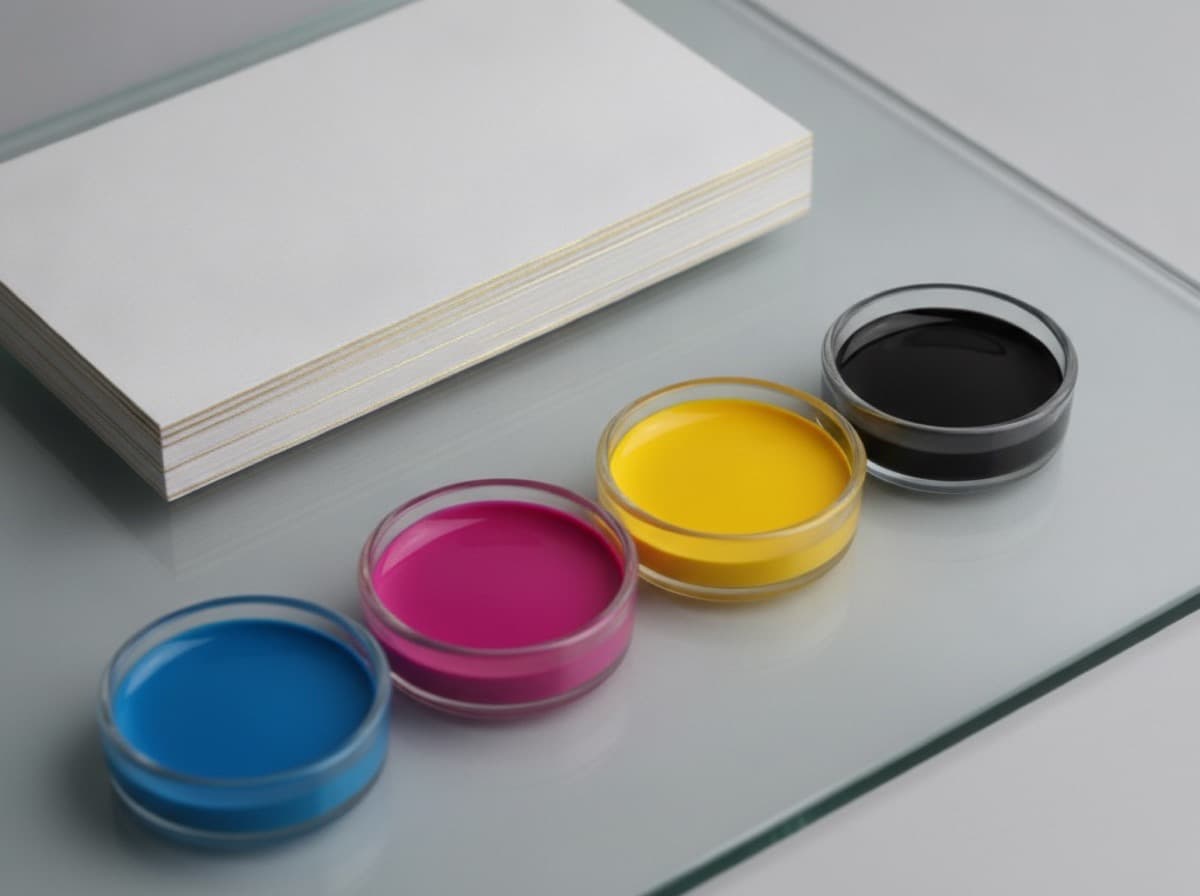
CMYK and RGB are two different systems for producing color, and business card printing uses one of them — CMYK — while computer screens use the other. If you design in RGB and submit an RGB file, the printer has to convert it automatically, and that conversion can shift colors in ways that are difficult to predict: a vivid orange becomes a muted brick; a bright electric blue shifts to something cooler and darker; a skin tone changes in a way that's hard to describe but immediately noticeable. Designing in CMYK from the start eliminates most of these surprises. This guide explains how the two systems work, which colors are most affected by the difference, and what to do if you can only work in RGB.
How RGB color works
RGB stands for Red, Green, Blue — the three channels of light that a screen uses to produce all visible colors. Mixing them at full intensity produces white; at zero produces black. Because RGB is an additive light system, it can produce more saturated, brighter, and more vivid colors than ink on paper. Neon green, electric blue, and bright orange all exist in the RGB gamut (the full range of colors a system can produce) but have no equivalent in four-color print ink.
Everything designed for screen — websites, social media, presentation decks — lives in RGB. Design software typically defaults to RGB, which is why the mismatch happens.
How CMYK color works
CMYK stands for Cyan, Magenta, Yellow, and Black (K, to avoid confusion with Blue). Commercial printing lays down these four inks in varying concentrations to build up all other colors. Because CMYK is a subtractive system — inks absorb light rather than emit it — the gamut is smaller than RGB. Colors near the edge of the RGB gamut, particularly very bright, highly saturated primaries and secondaries, don't have clean equivalents in CMYK.
When a printer converts your RGB file to CMYK, it maps every color to the nearest printable equivalent. For colors well inside both gamuts (muted greens, warm greys, dark navy), the shift is minimal. For colors near the RGB gamut edge (vivid reds, electric blues, fluorescent-adjacent tones), the shift can be dramatic.
Colors most affected by CMYK conversion
Bright orange and red — orange is particularly prone to becoming muddier and more terracotta-like when converted from RGB to CMYK. Vivid red (255R, 0G, 0B in RGB) converts to a CMYK value that can appear slightly darker or less saturated than expected.
Electric blue and cyan — screen-bright blues and cyans sit at the edge of the CMYK gamut and often print duller or cooler than designed.
Purple and violet — complex colors built from RGB channels that don't map cleanly to CMYK ratios can shift noticeably toward either red or blue in print.
Fluorescents — not achievable in CMYK at all. If your brand color is a neon, you need spot Pantone inks (a separate color printing system), not standard CMYK.
How to design in CMYK from the start
In most professional design applications (Illustrator, InDesign, Photoshop), you can set the document color mode before you begin:
- In Illustrator: File → Document Color Mode → CMYK
- In InDesign: set CMYK intent in the New Document dialog
- In Photoshop: Image → Mode → CMYK Color (or set in New Document)
Design all colors, swatches, and placed images in CMYK throughout. When you export to PDF for print submission, choose a PDF/X-1a preset, which locks the file to CMYK.
For brand colors: don't use the hex or RGB values from your style guide to pick a CMYK color. Get the CMYK values directly from your brand guide. If you only have hex, use a calibrated CMYK color reference or ask your printer for a physical swatch proof.
For black text: use 100K (0C 0M 0Y 100K). Avoid "rich black" (a mixture of all four inks) for small text — misregistration across four ink plates blurs small type edges.
What to do if you must work in RGB
Some tools — Canva, Figma, web-based design applications — work only in RGB. If you have no choice:
- Be conservative with saturated colors. Avoid electric blues, vivid oranges, and bright neons that you know are at the RGB gamut edge. Use desaturated, warmer, or darker versions of your brand colors that have closer CMYK equivalents.
- Request a digital soft proof from your printer. Many printers will send a CMYK-simulated proof so you can see the converted result before committing.
- Order a physical proof. A printed proof on the actual press stock is the only reliable way to verify color when you can't design natively in CMYK.
- Avoid brand-critical color on the first run. If your brand color is a precise, identity-critical shade, get it confirmed on a physical proof before approving a large order.
Specific guidance for common business card colors
Black: Use 100K. Solid black is perfect across CMYK. White: No ink is applied for white; it's the paper showing. Make sure your design's white areas are truly empty (no white fills on an export). Navy/dark blue: Reproduces well in CMYK. Specify CMYK values rather than converting from hex. Dark green, forest green: Reproduces predictably in CMYK. Gold (printed): CMYK gold is a mix of yellow and magenta — results vary by printer. For genuine metallic gold, specify foil stamping rather than printed CMYK yellow. Bright red: Test before ordering. The CMYK equivalent of pure RGB red (255,0,0) is often darker or more orange than expected.
Bottom line
Design in CMYK from the start, specify brand color values in CMYK (not hex or RGB), use 100K for black text, and get a physical proof for any design where exact color is critical. The conversion from RGB to CMYK at submission is the single most common cause of "my cards don't match what I saw on screen."
Frequently Asked Questions
Should business cards be designed in CMYK or RGB?
CMYK. Commercial printing uses four CMYK inks; RGB is a screen display system. Designing in RGB and submitting an RGB file forces an automatic conversion that can shift colors unexpectedly. Design in CMYK from the start to control the output.
Why do my business card colors look different when printed?
The most common cause is RGB-to-CMYK conversion. Colors near the RGB gamut edge — vivid reds, electric blues, bright oranges — have no exact CMYK equivalent and shift when converted. Design in CMYK and request a physical proof to verify color before a full order.
What CMYK value should I use for black text on a business card?
Use 0C 0M 0Y 100K (100% black only). "Rich black" (mixes of all four inks) causes slight misregistration that blurs small text edges. For solid black areas larger than a few square inches, a small addition of cyan (10C 0M 0Y 100K) adds depth without the text-blurring risk.
Can I use a Pantone color on a business card?
For exact brand color matching, Pantone (PMS) spot inks can be specified for offset printing. Standard digital printing uses only CMYK, so a Pantone color will be converted to the nearest CMYK equivalent. If precise Pantone matching is required, verify that your printer offers Pantone-matched offset printing.
Why can't CMYK reproduce neon or fluorescent colors?
Neon and fluorescent colors are outside the CMYK gamut — no combination of cyan, magenta, yellow, and black can produce them. Achieving these colors in print requires special spot fluorescent inks. CMYK conversion produces a dull, desaturated version of the intended color.
How do I prevent white borders on my printed business cards?
Add bleed — extend background colors and edge-running images at least 3mm (0.125 inches) beyond the trim line. Cutting tolerances mean the blade doesn't always land exactly on the trim; bleed ensures the color reaches the cut edge regardless of where the blade falls.
Get 10% off your first order
Join our list for practical printing guides, new finish ideas, and a welcome coupon for your first order.
No spam. Unsubscribe anytime.
Ready to send your file to print?
Order Business CardsNot sure which option fits? Ask Pro Card Crafters