Die-Cut Shaped Business Card Design and Printing Guide for Unique Custom Card Shapes
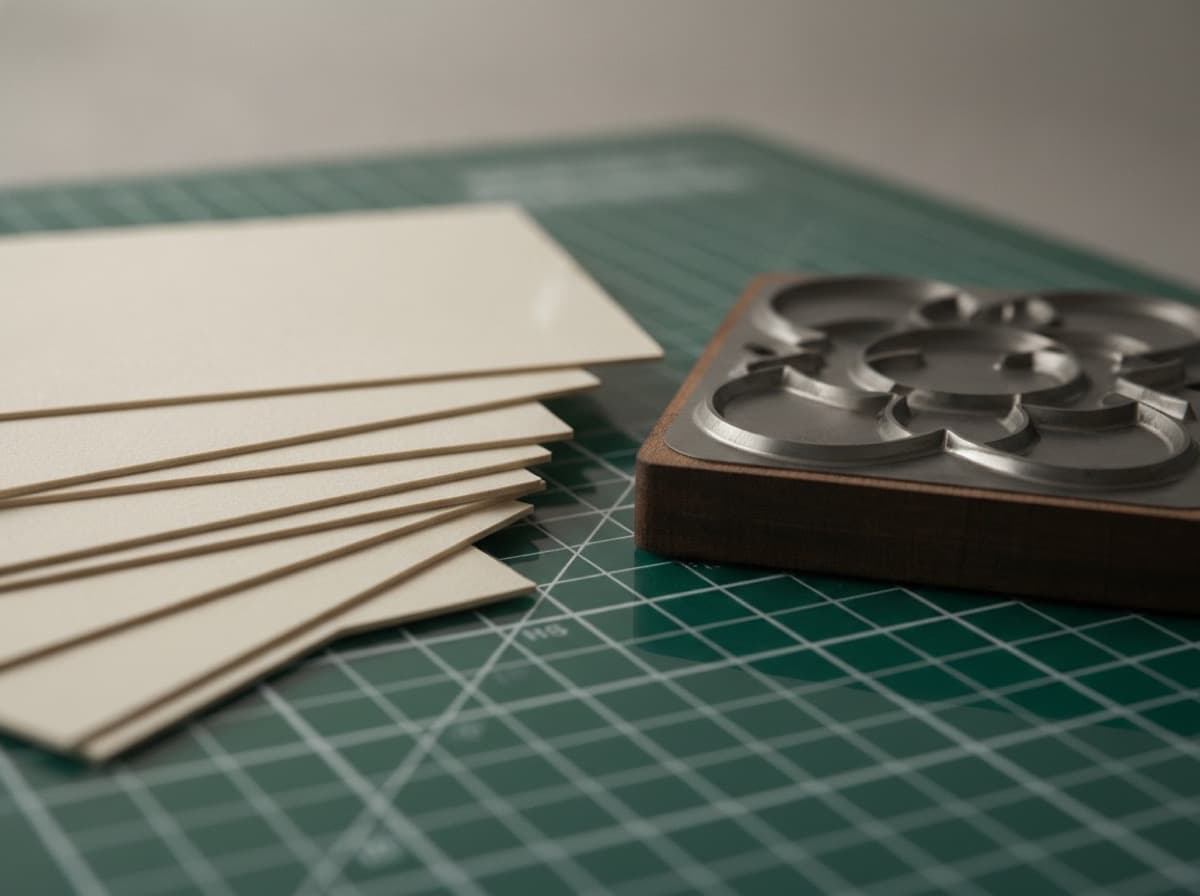
Die-cutting is a print finishing process in which a custom metal blade (the die) is pressed through a printed card sheet to cut it into a shape other than the standard rectangle. Die-cut business cards — whether simply rounded corners, clean-circle cards, mini cards, or fully custom silhouettes — create a tactile and visual distinctiveness that standard rectangular cards cannot match. When a potential client, networking contact, or prospective customer receives a die-cut card, they notice it, comment on it, and (importantly) keep it.
How Die-Cutting Works
The Die-Cutting Process
- Sheets are printed — first, cards are printed in bulk on large sheets (like any other business card, using offset or digital printing)
- The die is created — a custom metal rule (blade) is formed into the desired shape and mounted in a die board (a wooden board with the metal blade embedded); creating a custom die involves tooling cost (setup fee)
- The sheet is die-cut — the die press (either a platen press or a rotary die-cutting machine) presses the die into the printed sheet, cutting through the card stock along the blade's path
- Cards are separated — the cut shapes are "knocked out" of the sheet; waste material (the parts outside the shape) is stripped away; cards are separated from each other
- Finishing — die-cut cards can receive the same finishing options as standard cards: lamination (gloss, matte, soft-touch), spot UV, foil stamping, embossing, or edge painting
Important Die-Cutting Production Notes
- Die setup cost: Creating a custom die involves a one-time tooling cost typically ranging from $50–$150 per shape (dies can be reused for repeat orders, so this cost amortizes over multiple print runs)
- Minimum quantities: Due to die setup cost, die-cut cards are most economical at higher quantities (250+); some printers have minimums of 500 for custom shapes
- Registration: Die placement relative to printing requires precise alignment; slight misregistration can affect custom shapes, so working with experienced die-cut printers matters
- Turnaround time: Die-cut cards take longer than standard cards; account for an additional 2–5 business days over standard production time
- Gang-run limitations: Custom die shapes usually cannot be gang-run (combined with other jobs) — they must be run as standalone jobs, affecting unit cost
Common Die-Cut Shapes
Standard Modified Shapes (Lower Cost — Pre-Made Dies)
Rounded corners (most popular):
- Standard 3.5" x 2" dimensions with rounded corners
- Radius options: 1/8", 3/16", 1/4", 3/8"
- The 1/8" rounded corner is the most popular; subtle, modern, and friendly
- No custom die needed (pre-made rounded corner dies are standard at most printers); no or minimal die setup fee
- Cost: minimal premium over standard square-corner cards
Square cards:
- 2.5" x 2.5" or 2" x 2" square format
- Clean, modern, symmetrical
- Works well for photographers, architects, and design-focused professionals
- Standard pre-made dies available; modest setup cost
Mini business cards:
- 3.5" x 1.75" (half-height) or other mini formats
- Fits in wallets alongside standard cards
- Works well for contact-info-only cards, loyalty cards, and supplement cards (carrying alongside standard cards)
Custom Shape Categories
Geometric shapes:
- Circles (2.5" or 3" diameter) — the most popular non-rectangular custom shape
- Ovals — elongated circles
- Hexagons — modern and tessellating
- Triangles — bold and directional
- Octagons — like a stop sign; symmetrical and impactful
Arch-top cards:
- Standard rectangle with an arched top edge
- Softer and more elegant than a full rectangle
- Works well for hospitality, wellness, and creative brands
Custom silhouette shapes:
- A guitar outline for music professionals
- A house shape for real estate agents
- A camera outline for photographers
- A wine bottle or glass for wineries and sommeliers
- A chef's toque or knife for culinary professionals
- A tree or leaf for environmental and sustainability brands
- A key for locksmiths or real estate
- A pawprint for pet professionals
- A stethoscope silhouette for healthcare brands (simplified)
Cutout designs (pierced die-cuts):
- A card with an interior cutout — a circular hole revealing a logo on the back, or a die-cut window revealing a design element below
- Very high-impact tactile effect
- More expensive due to complex die and knockout requirements
Bookmark cards:
- Long, thin cards (typically 2" x 7" or 1.75" x 8.5")
- Dual function as a bookmark; high retention rate among book-oriented professionals (authors, librarians, teachers, children's book illustrators)
Design Considerations for Die-Cut Cards
Design-to-Shape Alignment
The cardinal rule of die-cut card design: the shape must reinforce the brand, not just be a novelty. Ask: does this shape represent what I do, or does it just look interesting? The most effective die-cut cards have an intuitive connection between the shape and the brand.
Shape-brand alignment examples:
- A photographer's card shaped like a camera lens aperture
- A sommelier's card shaped like a wine bottle
- A real estate agent's card shaped like a house
- A yoga instructor's card shaped like a lotus
- A contractor's card shaped like a wrench or tool
- A landscaper's card shaped like a leaf
Bleed and Margin Requirements for Die-Cut
Standard bleed and margin rules for die-cut:
- Bleed: Extend background color/image 1/8" (0.125") beyond the cut line in all directions
- Safety margin: Keep all text and critical design elements at least 1/8" (0.125") inside the cut line — more for complex shapes
- Cut line (die line): Provide the exact cut path as a vector path on a separate layer in your design file (typically a spot color labeled "Die Cut" or "Cut Line")
- Knockout all content on die line layer: The die line layer should contain only the path, with no other printed elements
File format for die-cut cards:
- PDF/X-1a or PDF/X-4 with the die line on a separate layer, OR
- AI (Adobe Illustrator) or EPS with die line on separate labeled layer
- CMYK color mode (not RGB)
- 300 DPI minimum for raster elements
- Die line as a vector path (not raster)
Critical for complex shapes:
- Avoid very thin "bridges" between design elements (thin connections can tear or cut inconsistently)
- Minimum cut detail of approximately 1/4" — don't attempt extremely fine detail in the die path (teeth on a saw, thin letter counters)
- Round interior corners slightly — sharp interior corners in a die-cut can crack
Paper and Finish for Die-Cut Cards
Paper Stock Considerations
Standard thickness for die-cut cards:
- 16pt card stock — the minimum recommended for die-cut; lighter stock can warp or not hold a sharp cut cleanly
- 18pt or 20pt — better for die-cut cards; holds the shape more rigidly; feels more substantial
- 32pt "super thick" (duplex laminated) — excellent for die-cut; the additional thickness makes custom shapes feel very premium; may require adjusted die pressure
Paper types:
- Uncoated — natural feel; shows fingerprints more; die cuts cleanly
- Coated (C2S or C1S) — smooth, clean finish; good for die-cut
- Linen or laid — textured natural surface; excellent for die-cut round-corner and custom shapes in organic/wellness brands
Finishing Options
All standard finishing options work on die-cut cards:
- Soft-touch matte laminate — excellent on die-cut; premium tactile feel that complements the shape's tactile effect
- Gloss laminate — high shine; good for photographic die-cut cards
- Spot UV — can be used on die-cut cards to highlight specific design elements
- Foil stamping — works on die-cut; particularly effective on die-cut cards where the premium shape and foil both signal quality
- Edge painting — applies color to the card edges; works beautifully on rounded-corner and custom-shape cards
When to Use Die-Cut Business Cards
Ideal situations:
- Creative professionals (designers, photographers, artists, architects) for whom the card IS a portfolio piece
- Niche specialty professionals where a shape directly represents the profession (wine, music, real estate, culinary)
- Premium service providers where card quality signals service quality (luxury real estate, fine dining, luxury wellness)
- Conference and trade show contexts where card tables are full of rectangular cards; a custom shape stands out
- Products or brands with a distinctive shape or icon that translates to a die-cut format
When standard cards are the better choice:
- Industries where card design creativity might seem inappropriate (hospital administration, insurance, highly regulated professions)
- High-volume card use (large sales teams where 1,000+ cards per rep per year) — die-cut setup and unit cost adds up
- When the shape has no connection to the profession and reads as novelty rather than brand alignment
Cost of Die-Cut Cards
Typical pricing (2024–2025 range):
- Rounded corners (pre-made die): $5–20 premium over standard card pricing for the same quantity
- Simple custom shape (circle, square, arch-top): $30–80 die setup + $20–50 per 250 cards premium
- Complex custom silhouette: $80–200 die setup + $30–80 per 250 cards premium
- High-volume (1,000+ cards): Die setup becomes a smaller percentage of total cost; most economical at scale
Price factors:
- Die complexity (simple geometric vs. custom silhouette)
- Quantity (higher quantities amortize die cost)
- Paper weight and finish
- Color printing (full color vs. 1-2 color)
- Turnaround time (rush premium)
Summary Checklist
- [ ] Shape choice aligns with brand identity (not just novelty)
- [ ] Die line layer prepared as vector path in file
- [ ] 1/8" bleed extended beyond cut line
- [ ] All text and logos 1/8"+ inside cut line
- [ ] 300 DPI minimum for raster elements
- [ ] No thin bridges or fine detail under 1/4" in die path
- [ ] Interior corners rounded (no sharp interior corners)
- [ ] 16pt minimum card stock (18pt preferred)
- [ ] Budget includes die setup fee
- [ ] Production timeline allows extra 2–5 days for die-cut
- [ ] Proof reviewed and approved before full run
Get 10% off your first order
Join our list for practical printing guides, new finish ideas, and a welcome coupon for your first order.
No spam. Unsubscribe anytime.
Ready to put these tips into print?
Order Business CardsNot sure which option fits? Ask Pro Card Crafters