Spot UV Business Cards Explained: Raised vs Flat Gloss
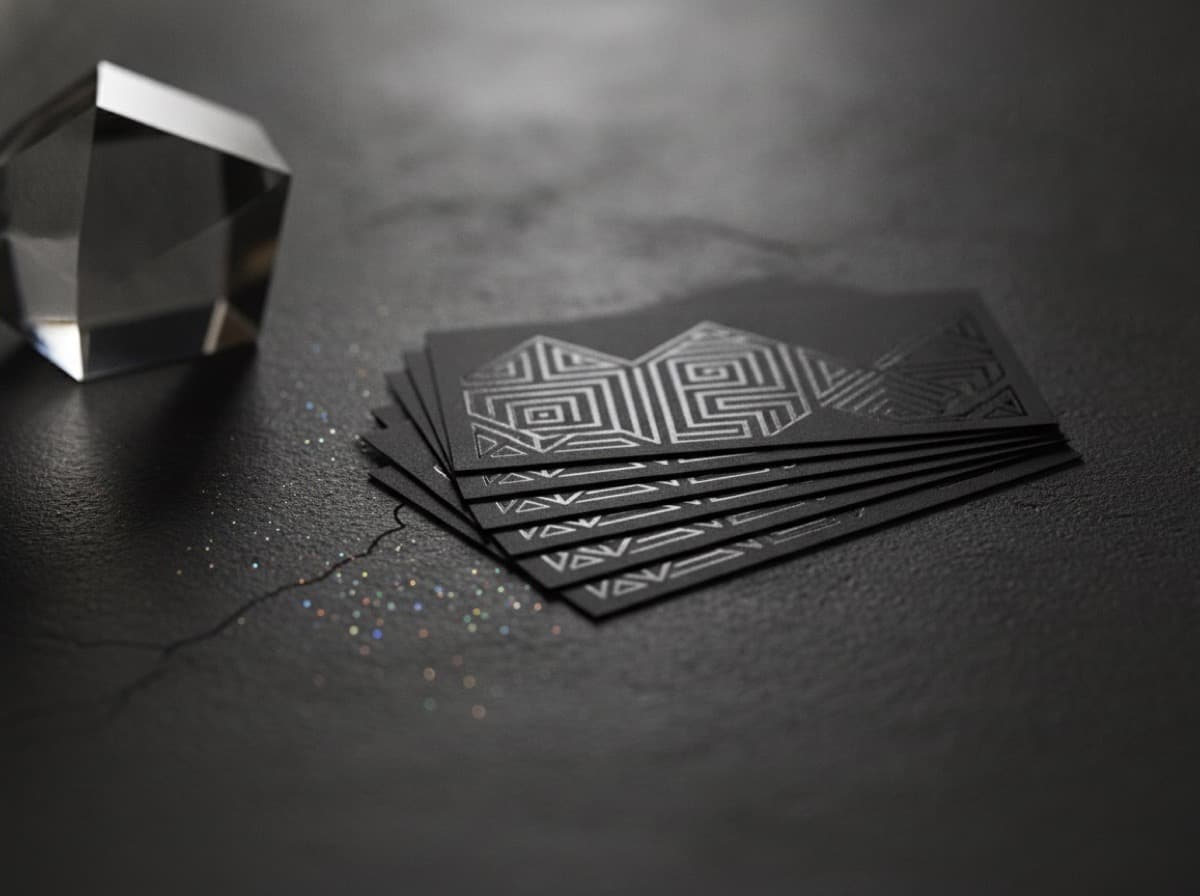
Spot UV business cards use a clear, glossy coating applied to specific areas of the card and cured under ultraviolet light, so the treated spots shine while the rest of the surface stays matte. The short answer to "raised vs flat" is this: flat spot UV sits level with the card and creates a subtle gloss-on-matte contrast you notice at an angle, while raised spot UV builds a slightly domed layer you can actually feel. Both are among the most cost-effective ways to make a card look deliberately premium, because neither needs the metal die that foil stamping requires. This guide explains how spot UV works, when to choose raised over flat, what it costs, and how to set up the file so the effect lands.
What is spot UV on a business card?
"UV coating" is a liquid varnish that hardens instantly under a UV lamp. When it covers the whole card it's called flood UV; when it's applied only to chosen areas — a logo, a pattern, a single line of type — it becomes spot UV. The contrast between coated and uncoated areas is the entire point: light catches the glossy shape and skips the matte field around it.
Because the effect depends on contrast, spot UV almost always lives on top of a matte-laminated base. On an already-glossy card there is little difference between the coated and uncoated areas, so the treatment is nearly invisible. If you are still choosing your base surface, our paper and coating comparison walks through matte, gloss, and soft-touch laminates and how each one reacts to a spot treatment.
Raised vs flat spot UV: what's the difference?
The two versions look similar in a photo but feel completely different in hand.
- Flat spot UV is a thin gloss layer that sits flush with the surface. You see it as a change in sheen when the card tilts under light. It's understated — ideal for a watermark-style pattern behind your name or a glossy logo that reveals itself only on closer inspection.
- Raised spot UV (sometimes called raised varnish or 3D UV) is a thicker, built-up coating that stands proud of the surface. You feel it with a fingertip before you register it visually. It's the more attention-grabbing option and works well on a logo or a short tagline you want people to touch.
A simple way to choose: if you want the card to look premium, flat is enough. If you want it to feel premium the instant someone picks it up, go raised.
When should you choose spot UV?
Spot UV is the right call in a few common situations:
- You want a premium optical effect on a budget. Because there's no engraved die, spot UV usually adds less cost and lead time than foil, embossing, or letterpress.
- Your logo has clean, medium-to-large shapes. Bold marks read beautifully; hairline details can be lost.
- You already have a matte base. The gloss-on-matte contrast is what sells the effect.
- You want tactile interest without heavy stock. Raised UV adds feel without the thick, duplexed stock that embossing and letterpress demand.
If your goal is a card that generates follow-up rather than just looking good, pair the finish with a strong layout — our guide to networking card design that converts covers hierarchy and legibility so the finish enhances the message instead of fighting it.
How much do spot UV business cards cost?
Spot UV is priced as an add-on to your base card, and the exact figure depends on stock, quantity, whether the effect is flat or raised, and whether you're coating one side or both. In relative terms it's one of the more affordable premium finishes because it skips tooling. A few factors move the number:
- Raised costs a bit more than flat, since it lays down more material and can need a slower cure.
- Two-sided spot UV roughly doubles the coating step versus one side.
- Larger coated areas use more varnish than a small logo, though the difference is modest.
- Smaller runs carry more setup per card, so unit cost drops as quantity rises.
Rather than assume a single price, it's more accurate to compare a quote for your exact card — stock, size, sides, and flat vs raised — against a plain card as your baseline.
Designing files for spot UV
Spot UV lives or dies at the file stage. The effect is defined by a separate artwork layer, so the setup matters as much as the design.
Supply the spot as its own layer or spot color
Create a dedicated layer (often a 100% spot color, commonly named something like "Spot_UV" or "Varnish") that contains only the shapes to be coated, positioned exactly over your printed artwork. Fill areas in solid — no gradients, tints, or feathered edges, because the coating is either present or absent.
Respect minimums and registration
Keep coated shapes and gaps reasonably bold. Very thin lines and tiny type can fill in or drift slightly out of register against the print beneath. If your logo has hairline elements, thicken them for the UV layer or leave them out of it.
Keep the treatment inside the safe zone
Spot UV that runs to the trimmed edge can lift or chip after cutting, so hold the coating a couple of millimeters (about 1/16 inch) in from the trim. And keep glossy UV away from anything that must be scanned — a coating over a QR code can create glare that blocks a phone camera. If you plan to include a code, our notes on QR codes on business cards explain how to keep it readable.
Spot UV vs other premium finishes
Spot UV is often compared with foil and raised print, and each has a niche:
| Finish | Look | Feel | Relative cost | Needs a die? | |---|---|---|---|---| | Flat spot UV | Gloss-on-matte sheen | Flush | Low | No | | Raised spot UV | Glossy, dimensional | Domed, tactile | Low–Medium | No | | Foil stamping | Reflective metallic | Slightly recessed | Medium | Yes | | Embossing | Same color, raised | Strongly tactile | Medium–High | Yes |
If you want metallic shine, foil is the answer; if you want a color-matched raised effect, embossing wins; but if you want a premium, tactile-or-optical touch at the lowest added cost, spot UV is usually the smartest first upgrade.
Bottom line
Spot UV is the value pick among premium finishes: it makes a matte card look and feel considered without the tooling cost of foil or letterpress. Choose flat for a subtle sheen, raised for a touchable effect, build it on a matte base, supply the spot as a clean solid layer, and keep glossy areas away from the trim and any QR code. Do that and a modest add-on returns an outsized first impression.
Frequently Asked Questions
What is the difference between raised and flat spot UV?
Flat spot UV is a thin gloss coating that sits level with the card and shows up as a change in sheen at an angle. Raised spot UV is a thicker, built-up layer that stands above the surface and can be felt with a fingertip. Flat looks premium; raised both looks and feels premium.
Does spot UV work on a glossy business card?
Not well. The effect depends on the contrast between glossy coated areas and a matte field, so on an already-glossy card the treated spots barely stand out. Spot UV is designed to go over a matte-laminated base.
Is spot UV cheaper than foil stamping?
Usually, yes. Spot UV needs no engraved metal die, so it typically adds less setup cost and lead time than foil, embossing, or letterpress. It's often the most affordable way to add a premium finish, especially over a matte base.
How do I set up a file for spot UV?
Put the areas to be coated on their own layer as a solid 100% spot color, positioned exactly over your artwork with no gradients or feathering. Keep shapes bold enough to hold register, and hold the coating a couple of millimeters in from the trim so it doesn't chip after cutting.
Can I put spot UV over a QR code?
It's best avoided. Glossy coating over a code can create glare that stops a phone camera from reading it. Keep QR codes flat and matte with strong contrast, and reserve spot UV for logos, patterns, and accents elsewhere on the card.
Can spot UV be applied to both sides of a card?
Yes, spot UV can be applied to the front, the back, or both. Coating both sides adds a second pass, so it costs more than a single side, but it lets you carry a glossy pattern or logo across the whole card.
Get 10% off your first order
Join our list for practical printing guides, new finish ideas, and a welcome coupon for your first order.
No spam. Unsubscribe anytime.
Ready to start your print order?
Browse Printing ProductsNot sure which option fits? Ask Pro Card Crafters